One video, three audiences. This is the single clip we send to anyone who asks what QuickFIX Global Connect actually is: a customer deciding whether to book, a tradesman deciding whether to join, or a firm owner deciding whether to list a team.
Watch it once and you will know how the whole platform fits together. The written summary below follows the same order as the video.
If you are a customer
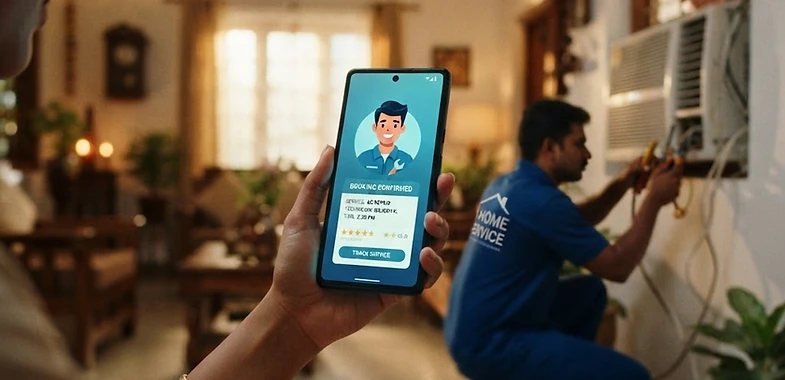
The platform shows you verified professionals near you, their prices before you book, and their reviews from completed jobs. You choose a slot, the job is tracked from assigned to completed, and you pay the agreed price rather than a number invented at your gate.
Start here: book a service. You can browse every trade first and only sign in when you are ready to confirm a time.
If you are a serviceman
You set your trade, your working radius and your availability. Jobs that match reach you, you accept the ones you can cover, and your rating follows the work you actually complete. Your first thirty days are covered in the serviceman playbook.
Sign up when you are ready: join as a serviceman.
If you are a service firm
You register the business rather than a single person, add your technicians, set your own prices on top of the base rates, and manage bookings as a team. Growth at this stage is a scheduling problem, which is why the firm profile carries zones, radius and team members.
Read the provider growth guide: from one van to a full team.
If you are a Growth Partner
Partners bring their district onto the platform and earn commission when a referral reaches a milestone, not when they merely sign up. Every award is recorded against the introduction that produced it, and payouts are requested from the partner dashboard.
Start here: apply as a Growth Partner or read how the Growth Network pays.
What the platform does behind the scenes
- Identity and trade verification before a profile is visible to customers
- A status trail on every booking, from assignment to completion
- Reviews tied to completed work rather than to profiles
- A support desk and a knowledge base for the cases where something goes wrong
After the video
Every signed-in account also has a short how-to clip for its own role, shown inside the profile section, so you do not have to remember the walkthrough to finish setting up.